
Extinguisher training
How the module runs in a course: grip, fire source, agent, extinguish. Fitting the adapters is in the adapter guide.
VR complements, it does not replace
Initial fire-safety officer training still requires a practical extinguishing exercise with a real flame. VR is suitable for further training, refreshers and annual instruction. Fire classes follow DIN EN 2: A, B, C, D, F – there is no class E.
In the lesson
- Audience: fire-safety officers, companies, evacuation helpers. At events a short direct start is fine.
- VR time: 5–10 minutes per person. Full lesson about 30–45 minutes.
- Learning goals: handle the extinguisher correctly, pick the agent that matches the fire class, keep distance and wind direction.
- Assess: correct extinguisher type, distance, wind direction. Typical mistakes: water or foam on a grease fire, standing too close.
- VR newcomers start with the tutorial. At events the extinguisher module may be the first step if staff handle the menus.
Before you start
- Adapters and controllers sit as in the adapter guide. The mounts are marked L and R. A tight first fit is normal.
- Let participants pick up the training extinguisher themselves.
- Pull the safety pin if there is one. The software does not simulate the pin.
- One hand on the main handle: the lever releases the agent. The other hand holds the red nozzle adapter. Keep the controller on the nozzle pointing up.
- Put the headset on last and tighten it with the wearer. Glasses and hair ties can stay on.
Floor space, not Guardian
Keep at least 3×3 m clear and a free swing radius. The virtual boundary stays off – a supervisor secures the area. Start where people will stand later, or the selection buzzers sit in an awkward place.
Start the module
In the menu open Fire safety / Brandschutzhelfer, then extinguisher training. The training itself runs offline. Wi-Fi is only for updates, support or browser streaming.
Choose the fire
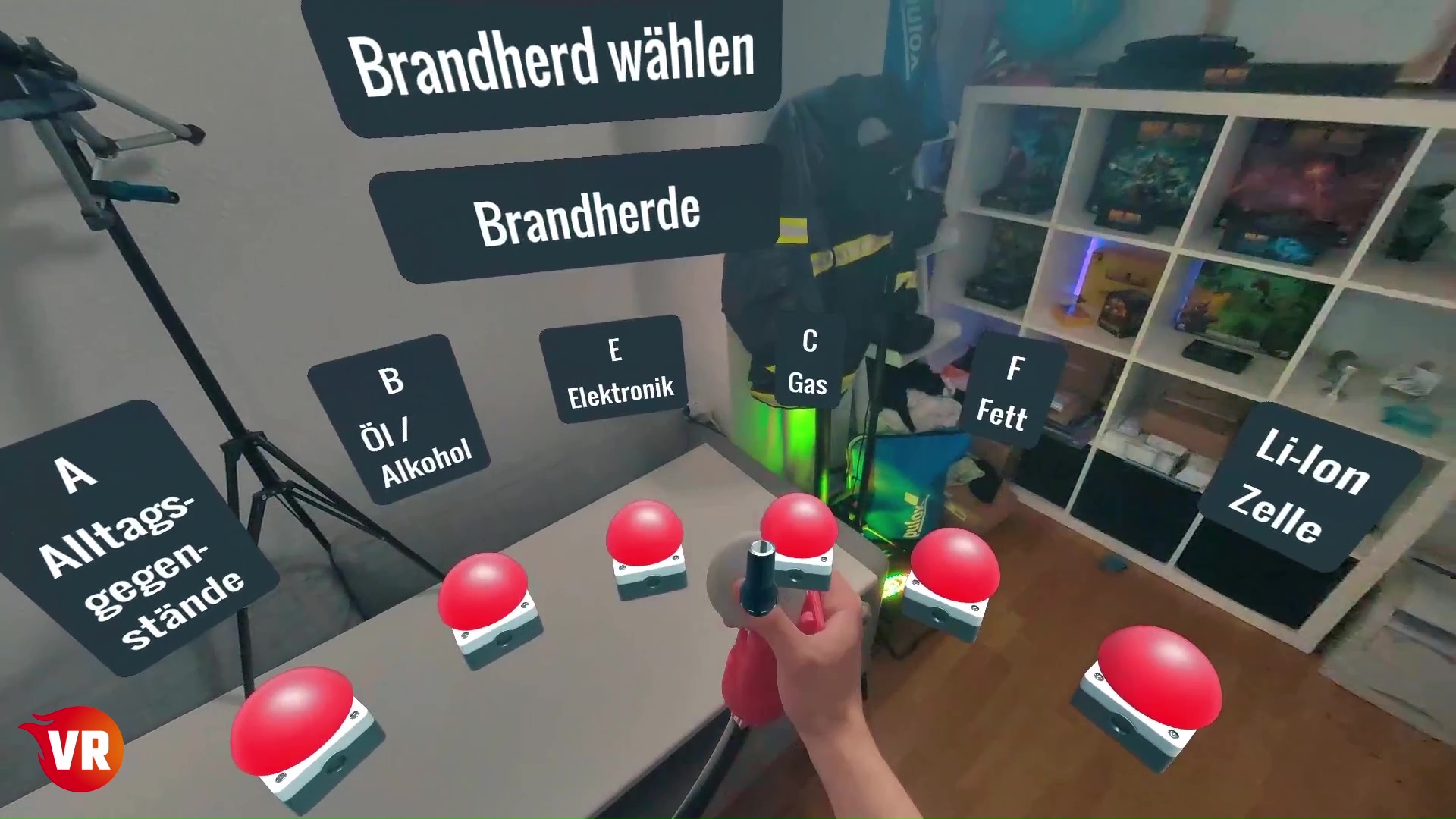
- The top line shows the fire class in capitals, for example A = solid materials.
- Below that is the object, for example an everyday item.
- The selection follows the wearer. Look left and right, not only straight ahead.
- Choose with the nozzle hand – red adapter, right controller. Place the hand directly above the buzzer, then move down. Not in front, not behind.
If the fire sits awkwardly, move or rotate it with the joysticks after selecting it.
Choose the extinguisher
- First line: which fire classes the extinguisher covers, for example B = liquids.
- Second line: the agent, for example foam.
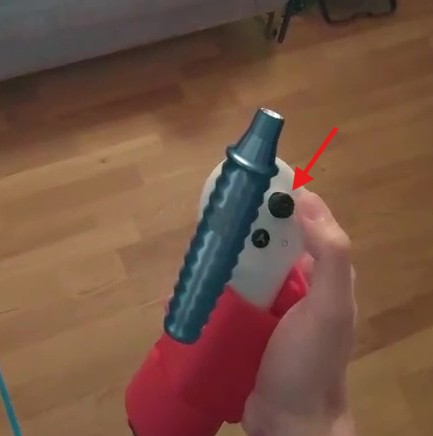
- Confirm again with the buzzer on the nozzle. You do not need the controller trigger here.
- Any extinguisher can be selected first. The error appears only when you spray the wrong agent – typically water on a grease fire.
Extinguish
- The scenario starts as soon as the extinguisher is chosen.
- Use it like a real extinguisher: press the lever. No extra controller button.
- Keep the minimum distance, work with the wind, spray in bursts.
- Do not wait too long: the fire spreads and the extinguisher can run empty.
Settings
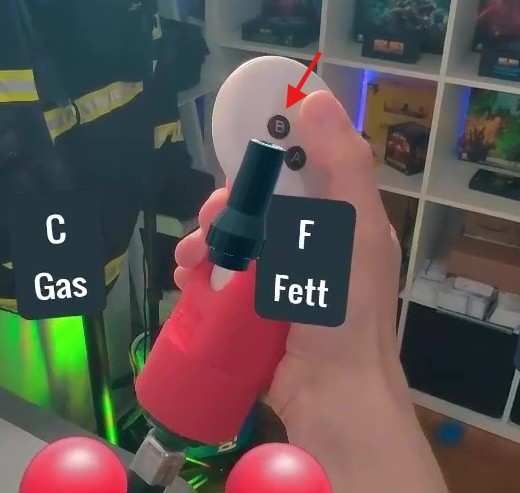
In the module press B, then confirm extinguisher settings with the trigger.
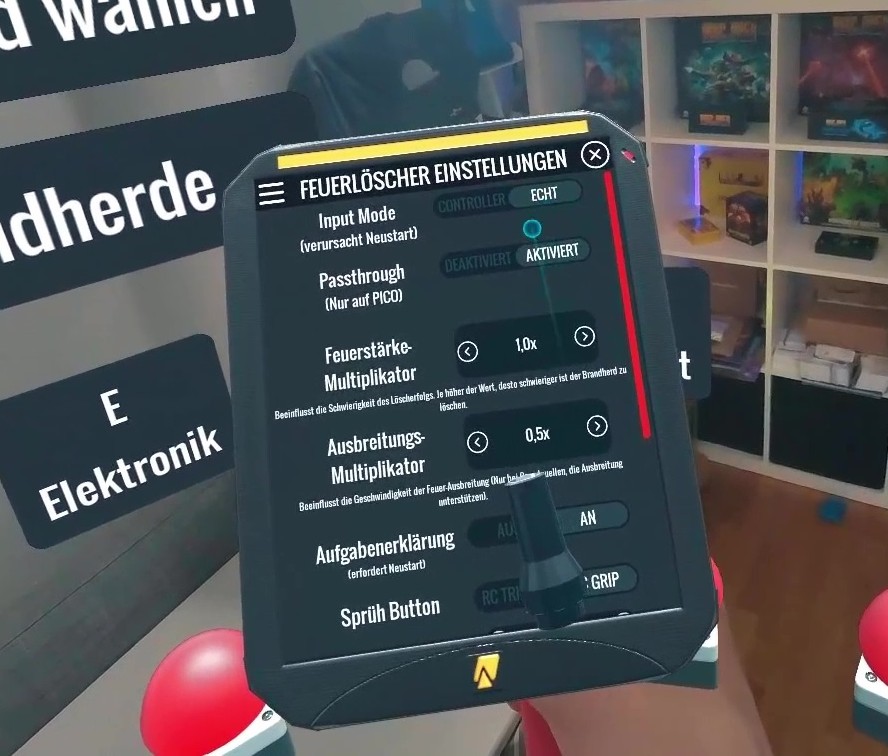
- Real extinguisher or controllers only. For training use the real-extinguisher mode.
- Passthrough: keep the real room visible or switch to a fully virtual scene.
- Fire intensity and spread: adjust difficulty and agent demand.
- Task explanation: in-app hints on or off, depending on whether the instructor explains.
- Spray button: default is the left grip on the lever. The right trigger is the alternative.
- Time until automatic restart: for group use, keep the result readable.
Picture for the group
Wireless HDMI is included and is the preferred route. Setup is under Setup. The group can watch the selection and the extinguishing without being in VR.
If something sticks
| Problem | Fix |
|---|---|
| Buzzer does not react | Nozzle hand directly above the buzzer, then down. Not the handle hand. Start where people will stand later. |
| Extinguisher sprays constantly or not at all | Check the button adapter and lever travel. The lever must not hold the controller down. Adjust start and max values in the menu. |
| Wrong extinguisher chosen | Expected: the message appears only when you spray. Then choose again or reset from the menu. |
| Fire sits awkwardly | Move or rotate it with the joysticks. |
More faults: Troubleshooting. Product page: extinguisher training.